

How it works
How WorkshopSafe works: set up in an afternoon, then it runs itself
Three steps from sign-up to a workshop whose checks are on the record. Few fields are required, so records fill in over time rather than holding you up on day one. The screenshots below are from the live demo, a made-up workshop called Example Motors Brunswick.
Load your workshop
One press loads the common equipment, checks and readiness list for your kind of business: a mechanical workshop, body shop, tyre dealer, service station or dismantler. Remove what you don't have, add what's missing, or read in your own checklist PDFs.
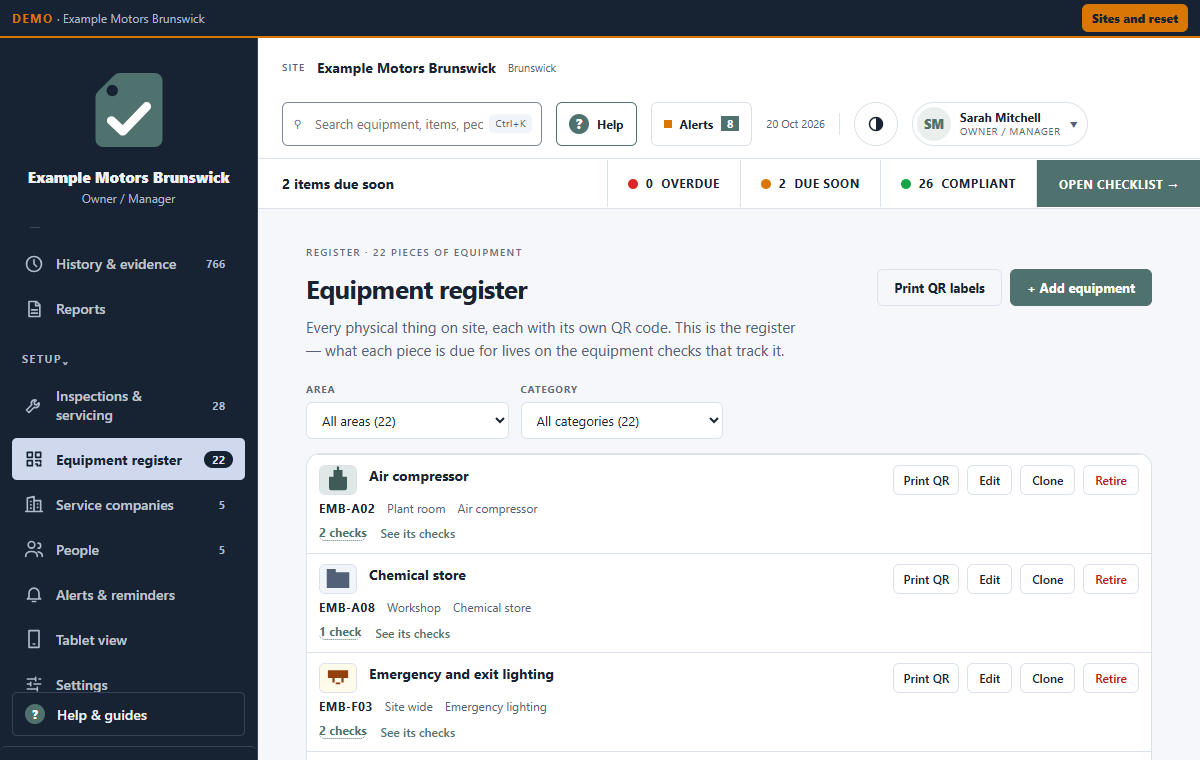
Every physical thing on site goes on the equipment register with its own tag, its area and the checks that track it, so you can see at a glance what each piece is due for.
Print the labels
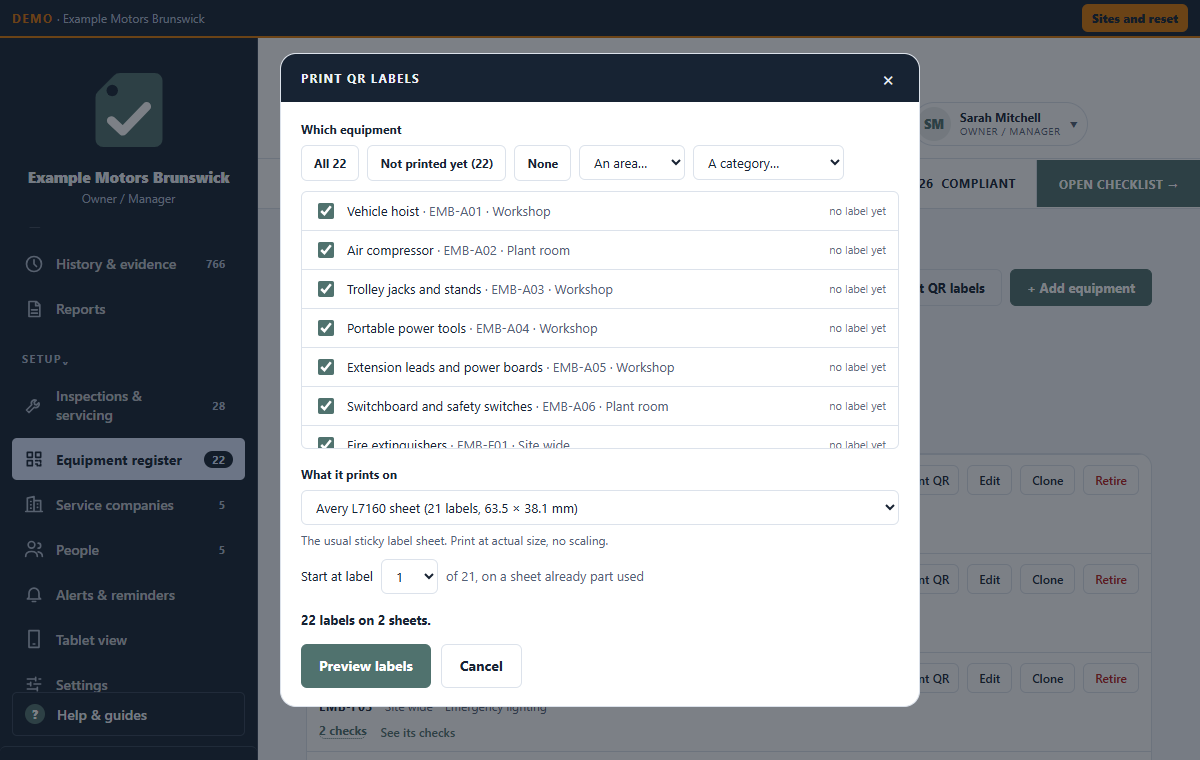
Print QR labels with your own tag prefix on an ordinary sticky label sheet, and stick one on each hoist, compressor and extinguisher. Choose all of them, only those not printed yet, or one area or category, and start part-way down a sheet you've already used.
Then add your people, their skills and PINs, and pair a shop tablet with a one-time code, so the team can check in without logins of their own.
Your team scans and ticks
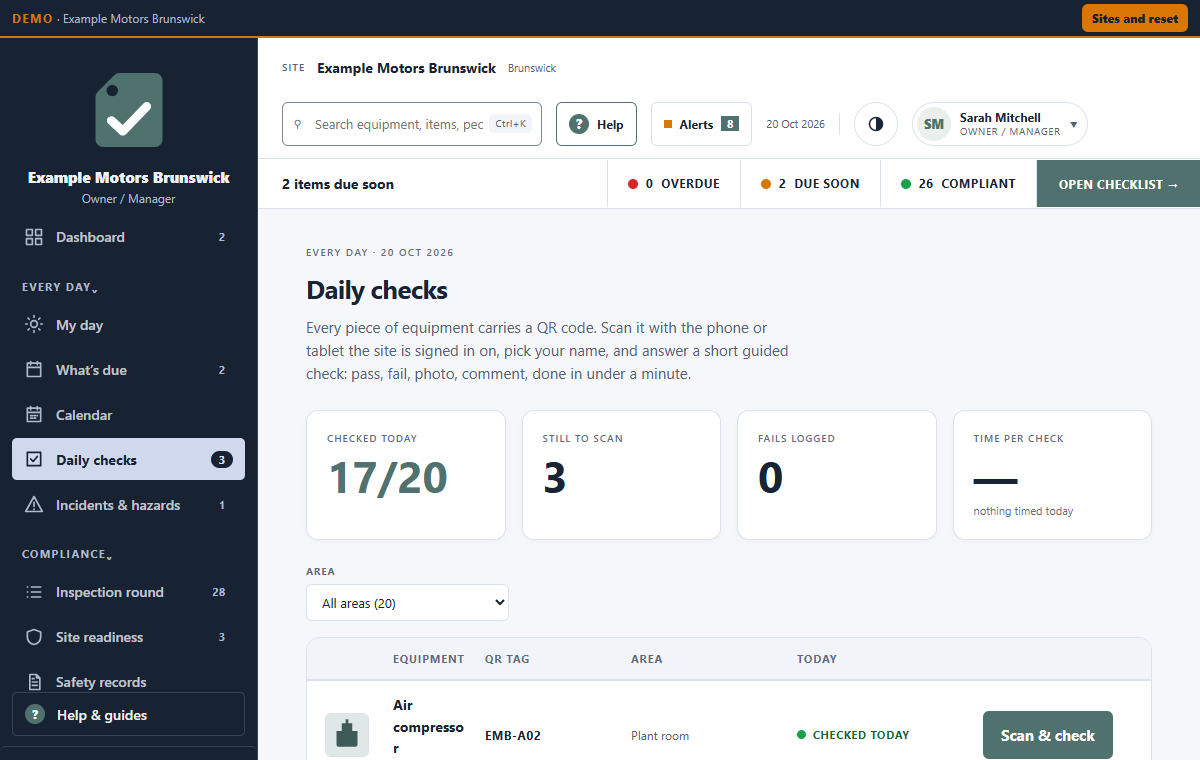
Checks come due, people get reminded, and the evidence builds up on its own. Staff scan a label, tap their name, enter their PIN and answer a short guided check: pass or fail, a photo, a note, done in under a minute.
You see what's been checked today, what's still to scan and any fails logged, and you watch the dashboard turn green.
More than daily checks
The same register carries inspections and servicing, incidents and hazards, site readiness for WorkSafe, EPA and NMI, safety records and a one-click compliance pack. See every feature, or read the frequently asked questions.
Try it on a made-up workshop first
Open the live demo, a made-up group of five sites with a year of history, or start your free trial: 30 days, the full app, no card needed.